New Live sales from your POS, while service is on

Know what every dish really earns

Item86 reads the sales, recipe and stock files your hotel or restaurant already has, and shows in money which dishes carry the menu, where food cost leaks, and what to order, staff and change next.

Works with your existing POS · Excel, CSV and PDF · Every number explained

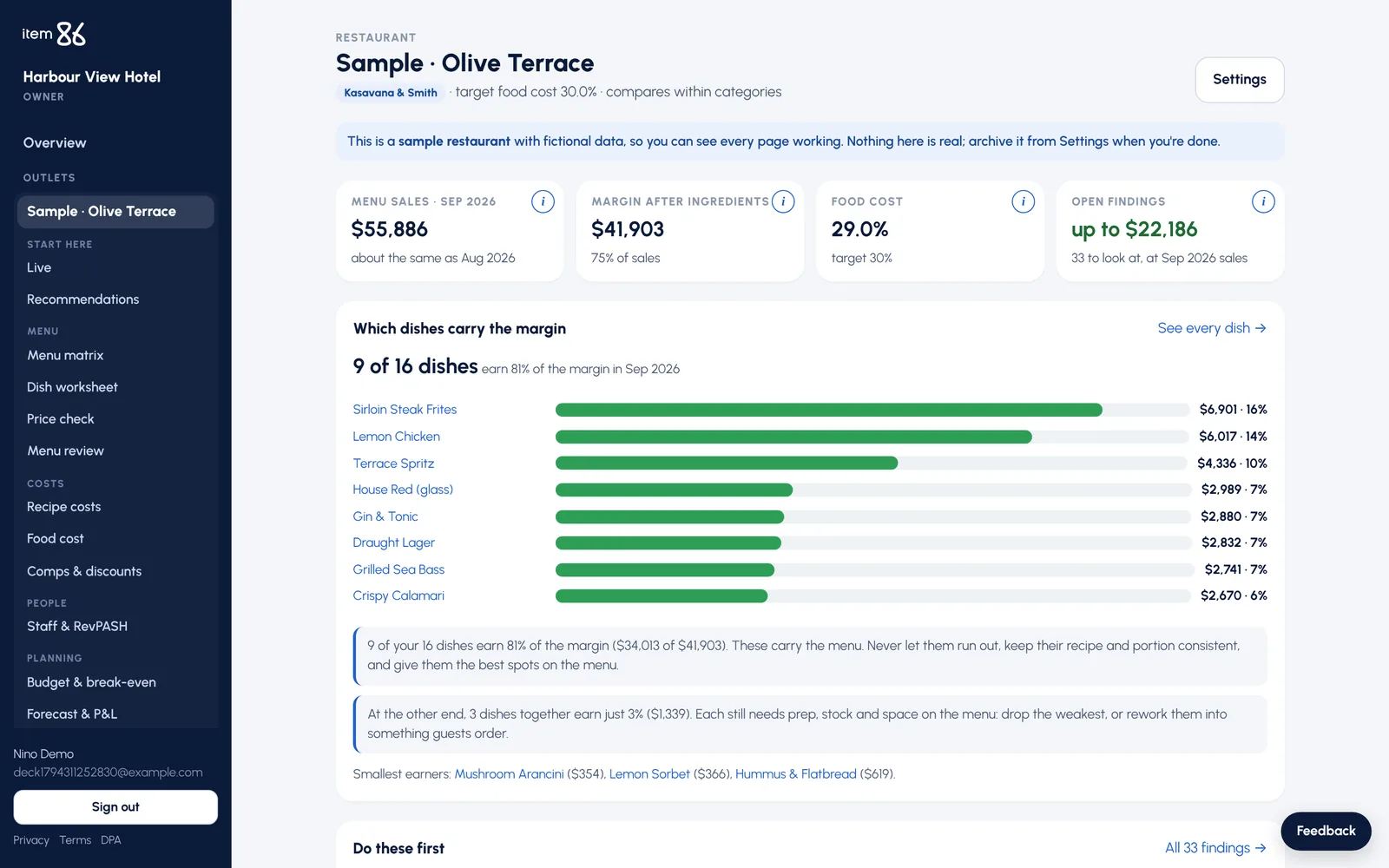
Item86 outlet overview: menu sales, margin, food cost and open findings
Food cost 29.0%target 30%
9 of 16 dishesearn 81% of the margin

Reads the reports you already have

  • Oracle Simphony
  • Toast
  • iiko
  • Excel
  • CSV
  • PDF

One app for food & beverage

From the menu to the store room, in one place

Each page answers one question a manager asks every week, and says what the answer is worth.

Menu engineering

See which dishes really earn, and what to do with each one

Every dish is placed by how often guests order it and what it earns after ingredients: Stars, Plowhorses, Puzzles and Dogs. Each comes with plain advice: keep, reprice, move on the menu, rework or drop.

  • Compared within each category, the standard Kasavana & Smith way
  • The dishes that carry most of the margin, at a glance
  • Price check against what each dish should cost
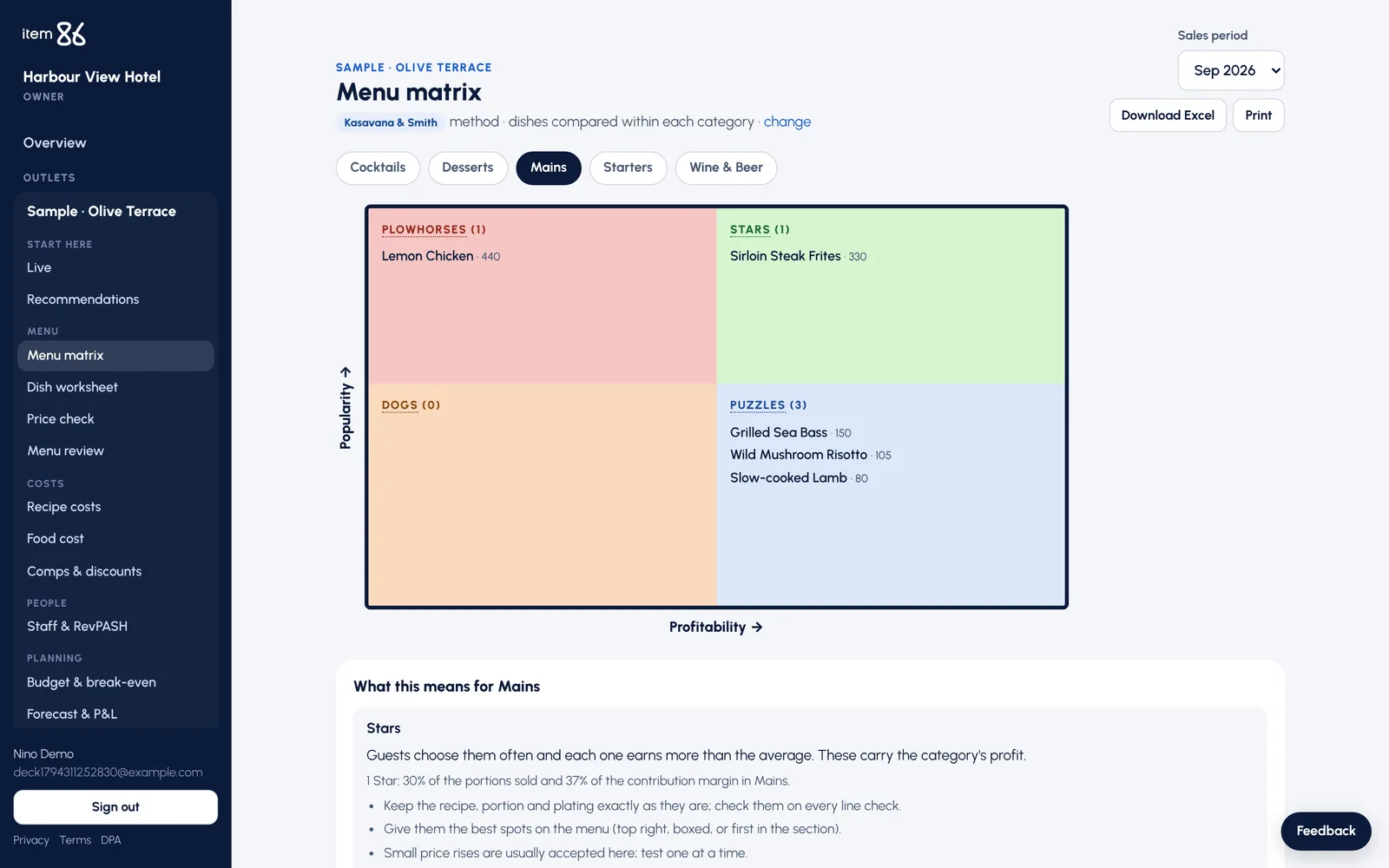
Menu matrix: dishes in Stars, Plowhorses, Puzzles and Dogs

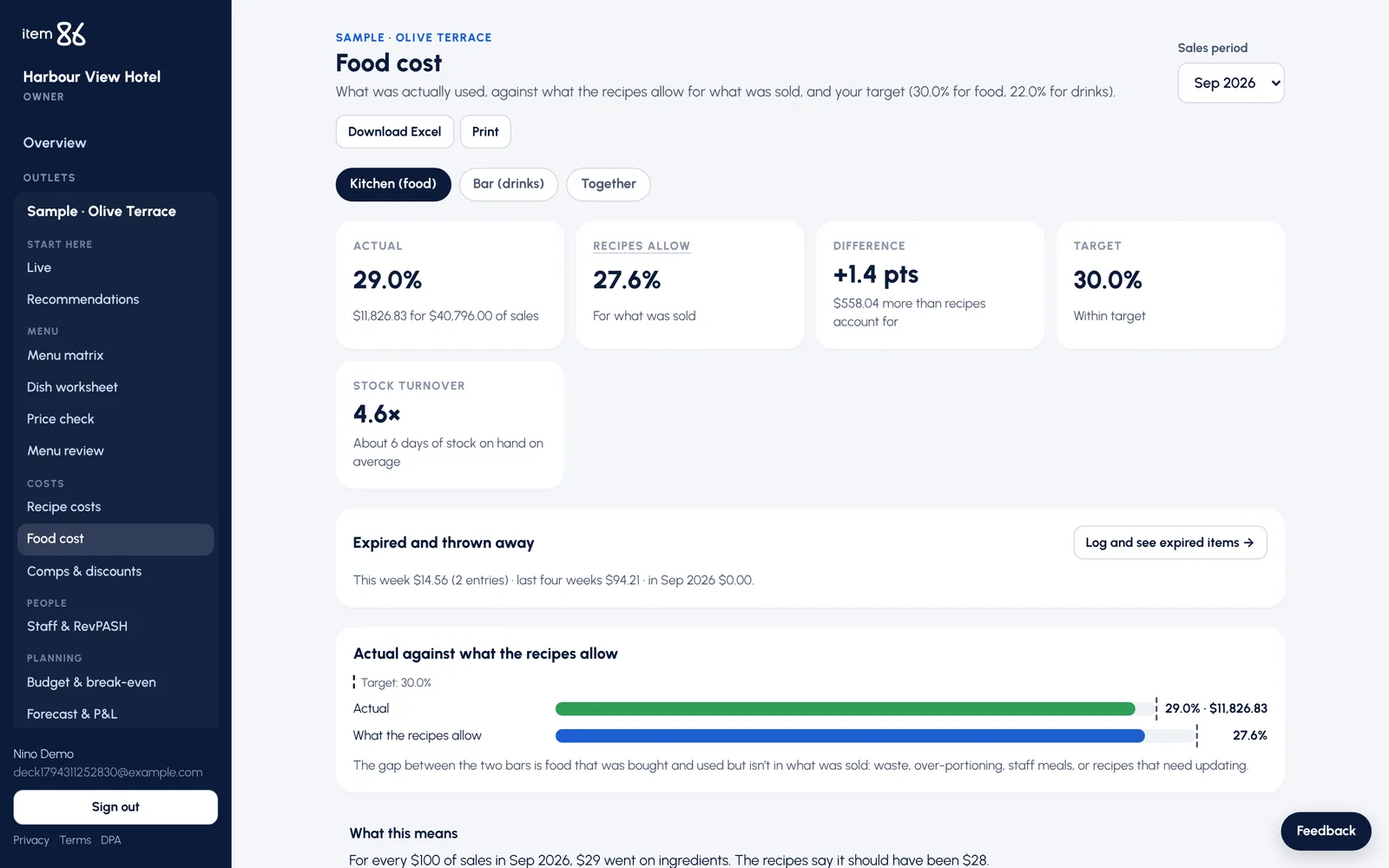
Food cost

Find the gap between what the kitchen used and what the recipes allow

Opening stock plus purchases minus closing stock, for kitchen and bar separately, set against the recipes. The difference is shown in money, with where to look first.

  • Weekly log of expired and thrown-away items, typed in or sent by the POS
  • Items thrown out again and again, and what to order less
  • Supplier price lists update recipe costs in one step
Food cost page: actual against what the recipes allow

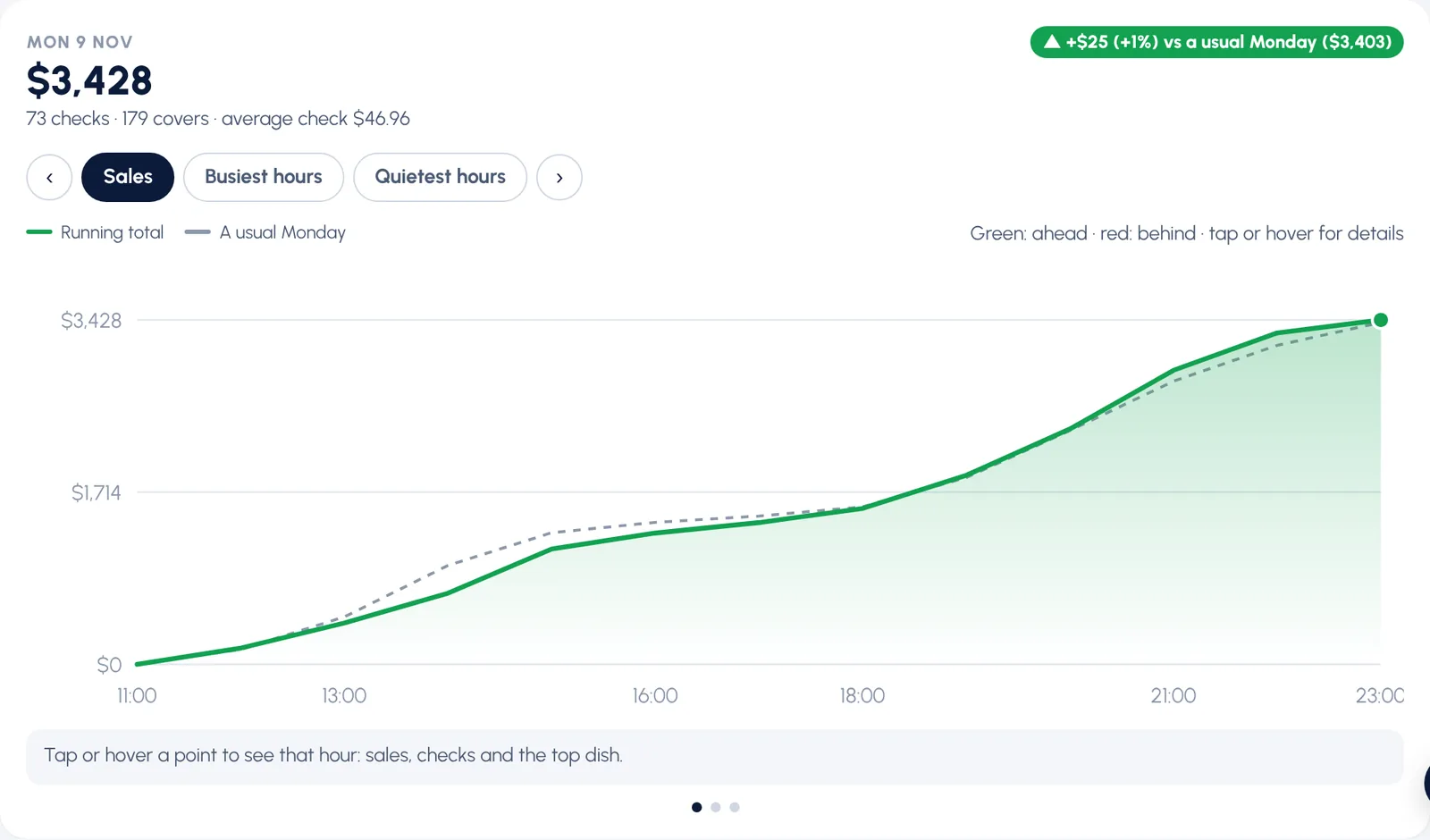
Live

Today’s sales against a usual day, while service is on

Connect the POS and every closed check arrives as it happens. Busy and quiet hours, today against the usual, and whether the steps you took are paying off.

  • Oracle Simphony connector, or any POS through a simple key
  • Happy hour and pace suggestions for quiet hours
  • “What changed after the steps you took”, measured on real checks
Live sales chart against a usual day

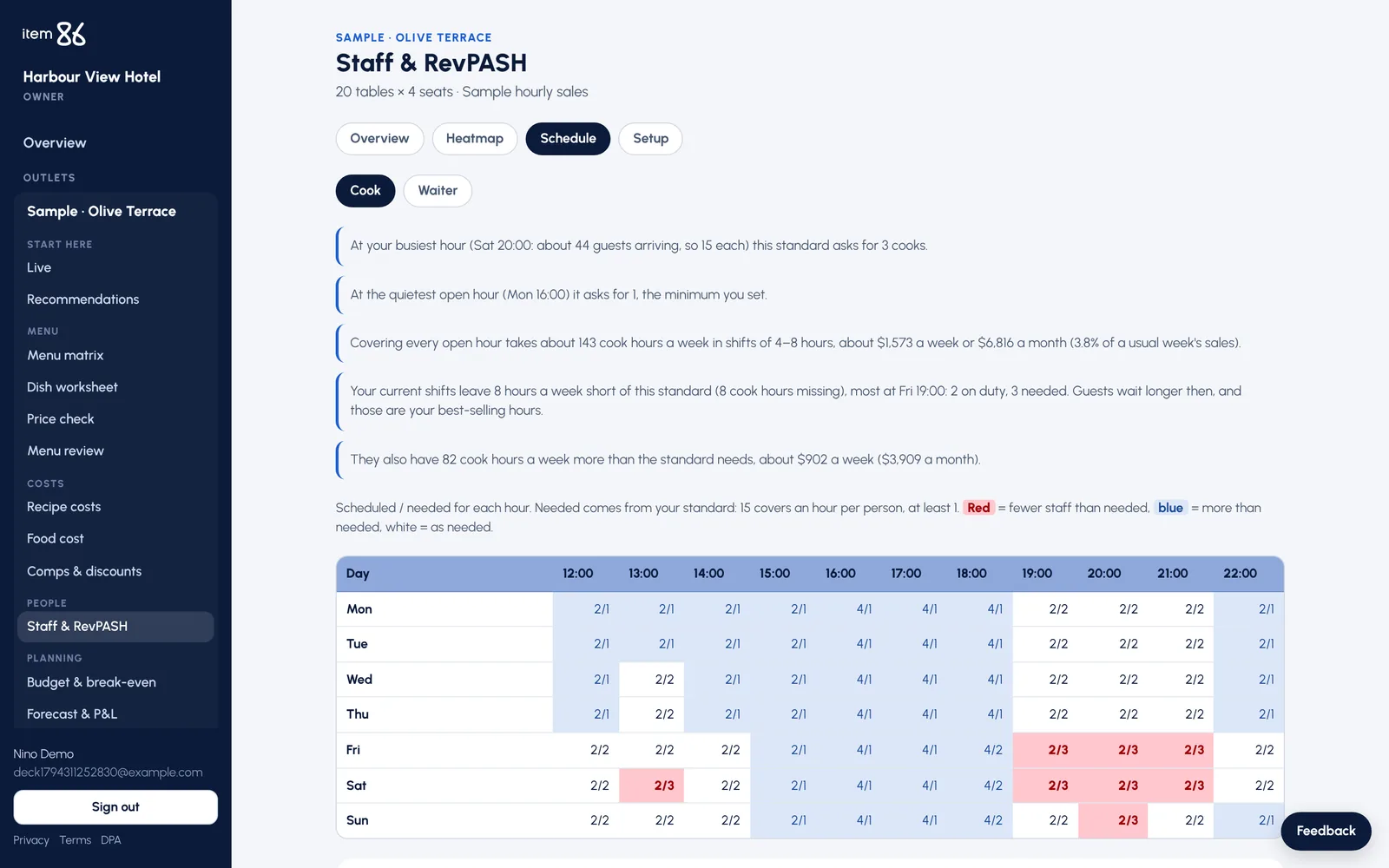
Staff & RevPASH

The right number of people for every hour

Hourly sales and guests turn into the staff each role needs. Short hours are red, hours with too many people are blue, and shift lists come out ready to use.

  • Revenue per available seat hour, hour by hour
  • What overstaffing costs a month
  • Two shift-list layouts to choose from
Staff grid: scheduled against needed, short hours in red

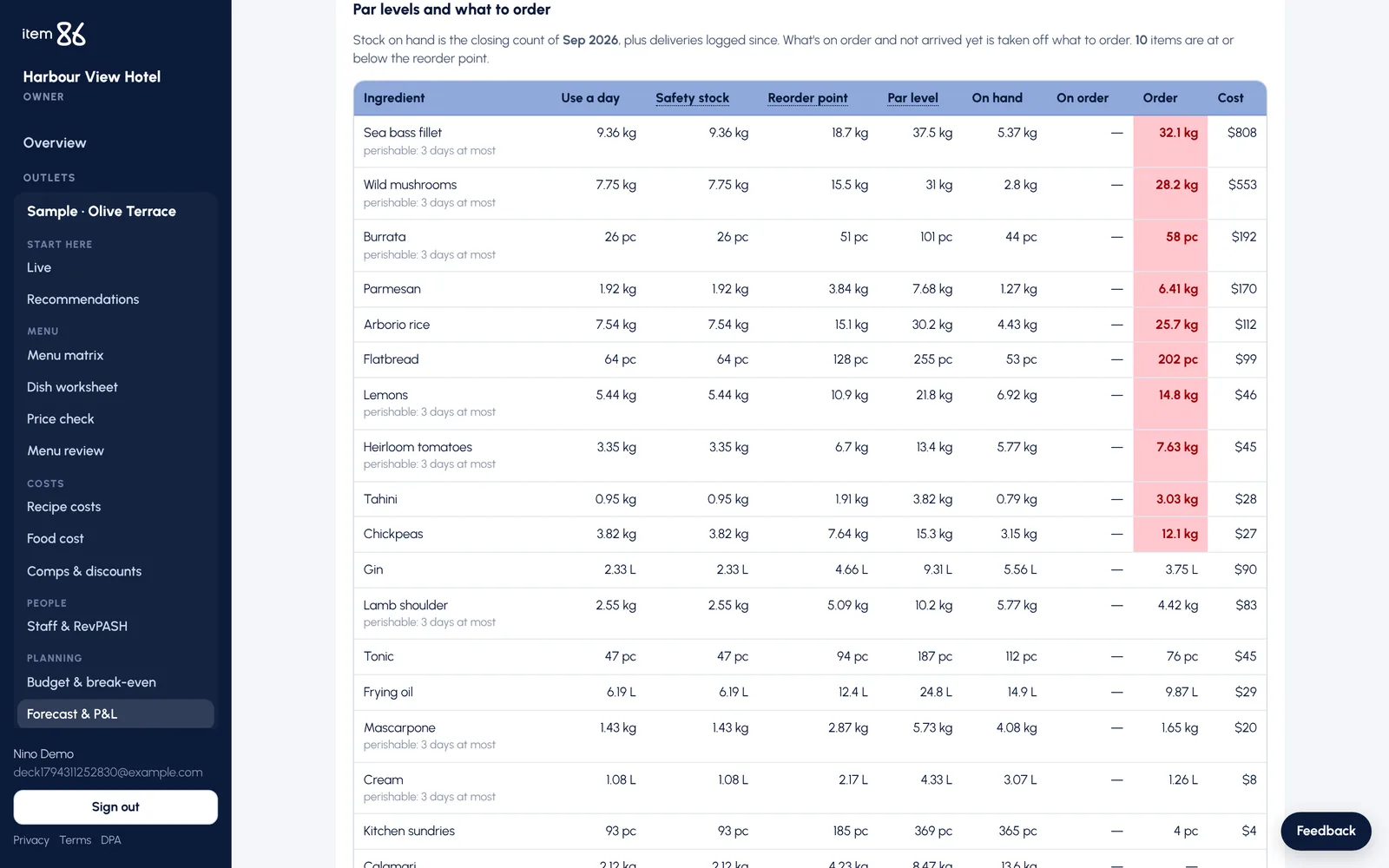
Forecast & ordering

What to order for the week that’s coming

Next week’s forecast runs through the recipes into par levels. On hand, on order and what to order now, grouped by supplier or store-room section. Short deliveries are logged as they arrive.

  • Budget, break-even and prime cost every month
  • P&L, budget and forecast read straight from Excel
  • Orders recorded straight from the suggestions
Par levels and what to order

And everything around it

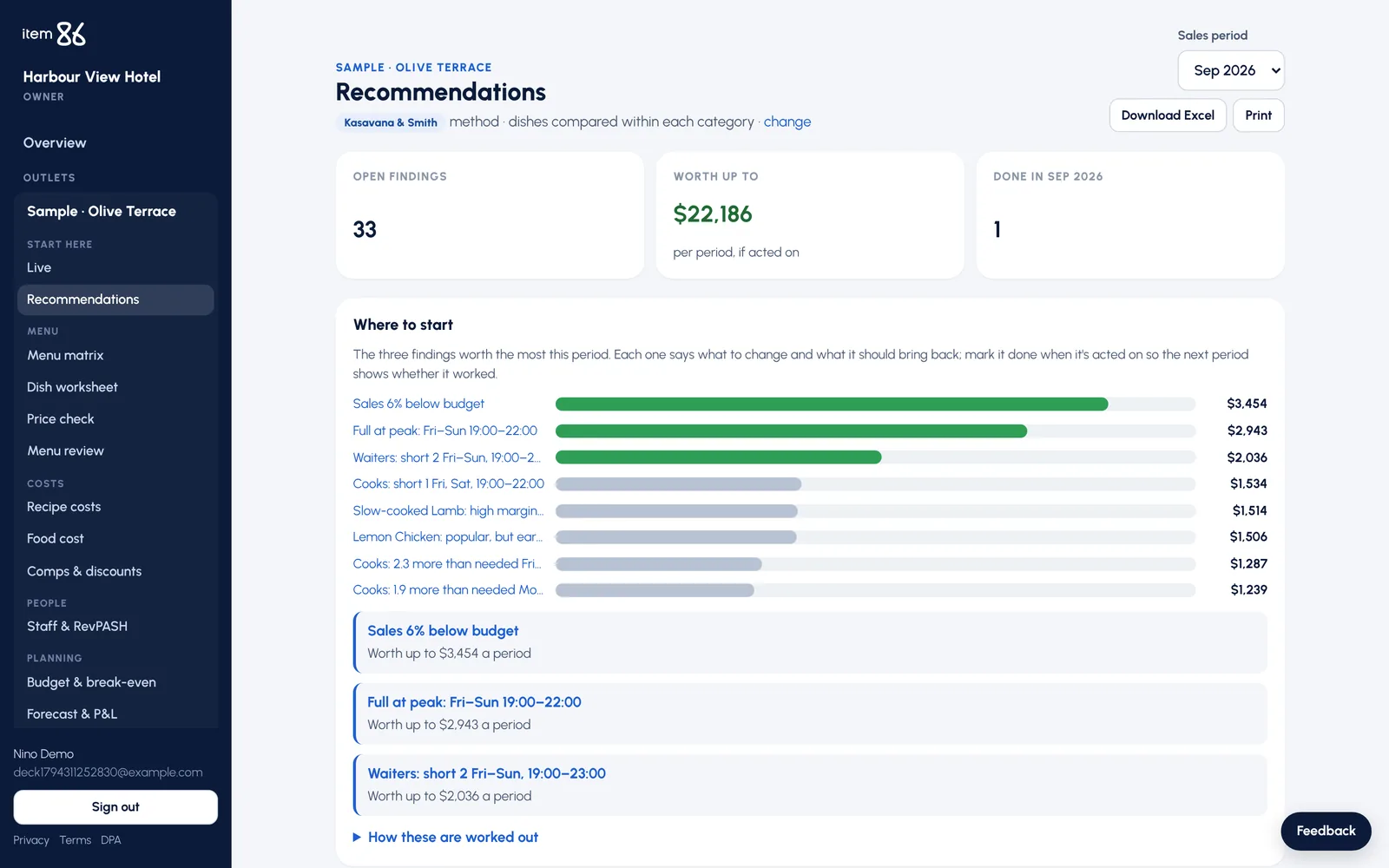
Recommendations

Every finding in one list, ranked by what it is worth a month.

Comps & discounts

Who gave what away, for which reason, and where it looks unusual.

Menu review

Upload a photo of the menu and see where each dish sits and should sit.

Group view

Several outlets or hotels side by side, with totals for the group.

Excel downloads

Every table goes out as an Excel file for the finance team.

Every number explained

The ⓘ on each box says where the number comes from, in plain words.

How it works

Three steps, with the files you already have

  1. 1

    Upload a month of sales

    The sales mix report from your POS. The menu matrix is ready straight away.

  2. 2

    Add recipes and stock

    Costing cards and the month’s stock movement. Food cost and recommendations follow.

  3. 3

    Connect the POS

    Optional. For the Live page and the weekly waste sent automatically.

Recommendations ranked by what they are worth a month

Pricing

One simple price, every page included

7 days free, then pay monthly, or yearly and get 12 months for the price of 10. Prices in US dollars, before VAT.

Several outlets

Restaurant groups, hotels with several outlets, chains

Priced with you

Tell us how many outlets you have and what you need, and we’ll agree a price that fits, case by case.

Contact us

Questions

Do I need to change my POS or install anything?

No. Item86 reads the reports your POS and stock system already produce: Excel, CSV or PDF, from Simphony, Toast, iiko and others. Connecting the POS for the Live page is optional and can come later.

How long does it take to get the first results?

Upload a month of sales and the menu matrix is ready straight away. Add recipes and the month’s stock report, and food cost and the first recommendations follow.

Where do the numbers come from?

From standard food and beverage methods taught in hotel schools: menu engineering, cost of food sold, par levels, break-even and prime cost. Not guesses. Every box says how its number was worked out.

Who can see our data?

Only the people you invite, and each person only sees the outlets you give them. Every hotel’s data is kept separate, and sign-in has two-step verification.

Can I try it before we decide?

Yes. Every new account has 7 days free, with a sample restaurant to explore every page before you upload your own files.

Find out what your menu is really earning

Start with a sample restaurant, then upload a month of your own sales.

Start your 7-day free trial